Home visits
Every home visit on record, from the door to the next booking.

The address, for the people on the visit
The desk writes the address the way a driver would need it, with the area and a landmark. On the day, the physio opens the visit and the address is there with a way to call the patient and a map.
Only the desk, the admin (owner), the head physio and the physio booked for that visit can see it. Another physio who isn't on the visit doesn't.

- The location is Home visit, and the address shows as the desk wrote it.
- Call the patient from the visit, or open the address in Maps.
- Open consultation starts the note, with the attendance card at the top.
How it works
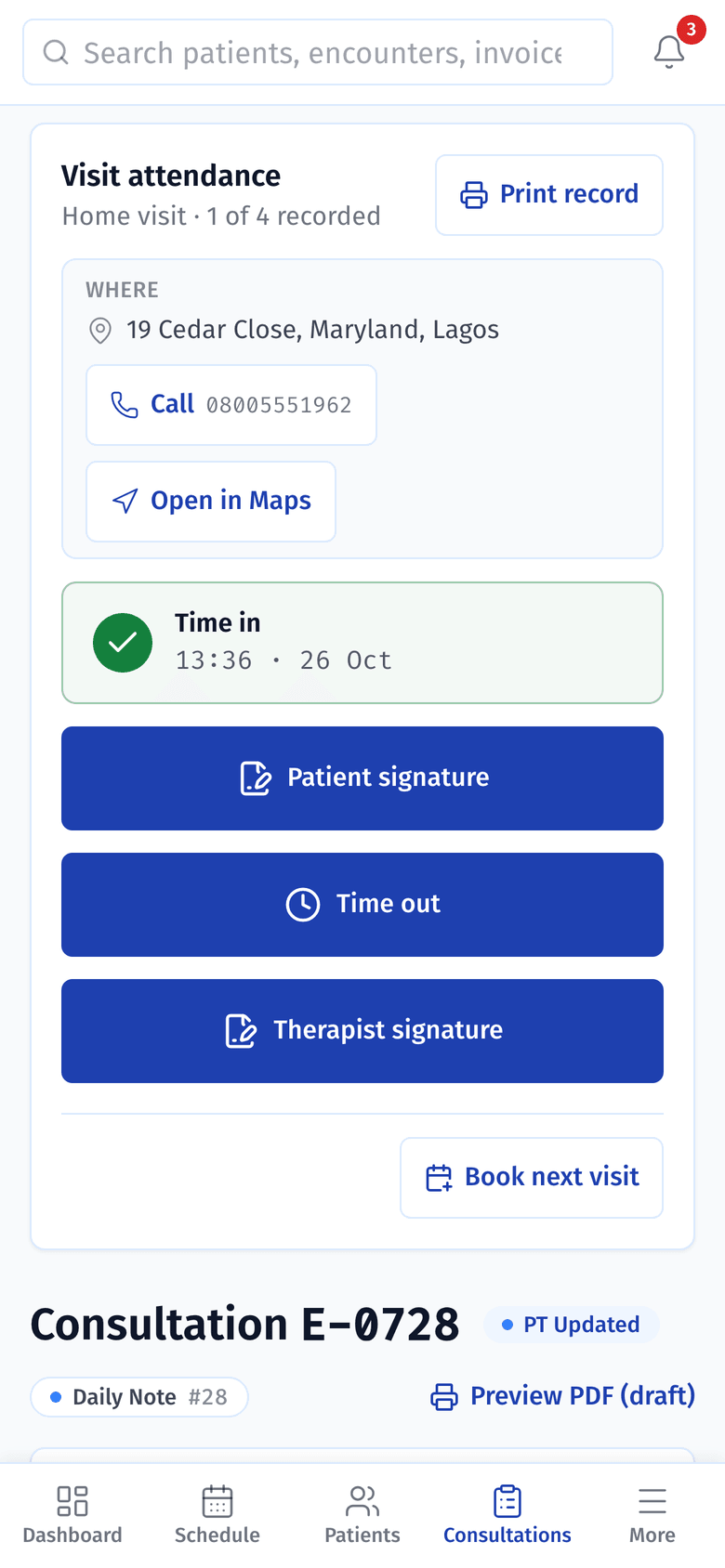
1. Time in at the door
The physio taps Time in when they arrive. The card keeps the address at the top, and Print record prints the visit's attendance.
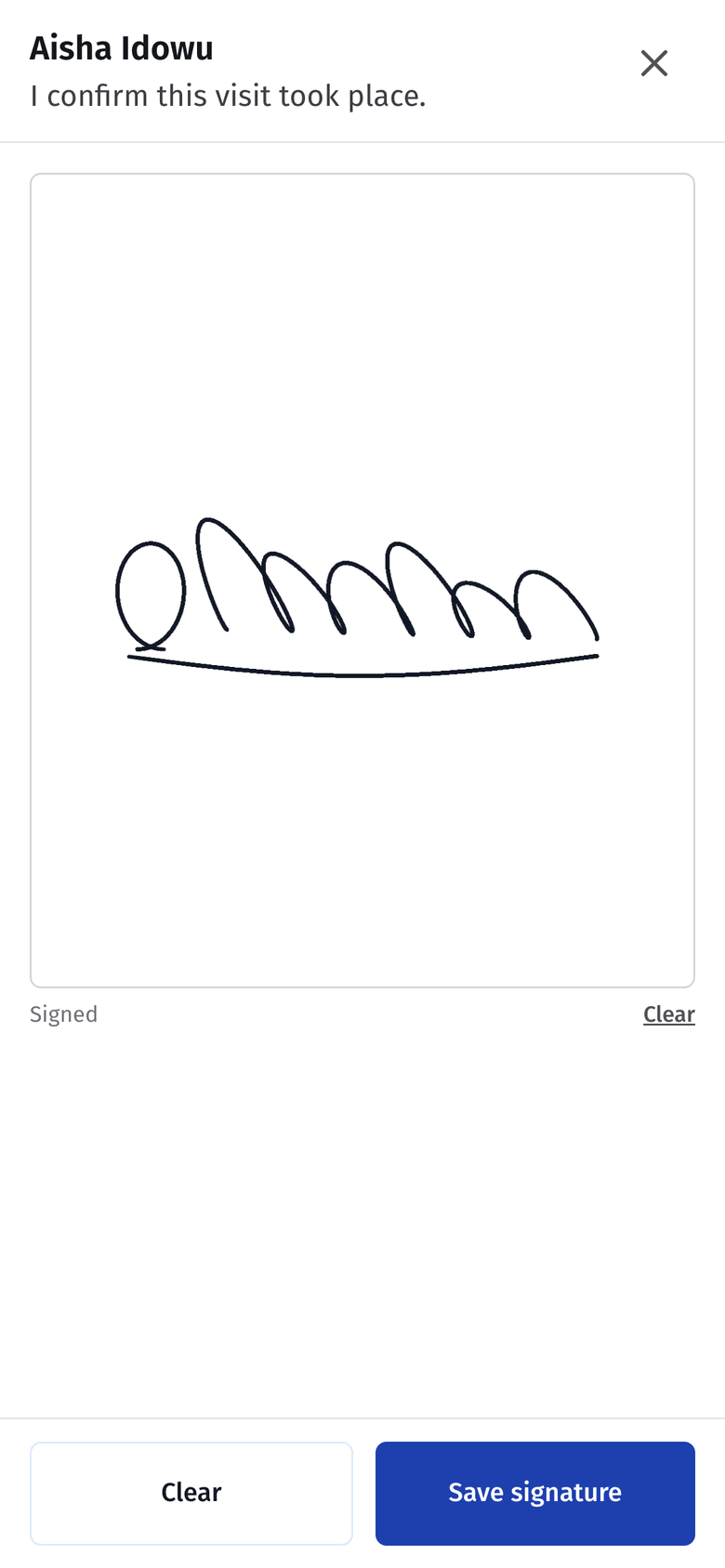
2. The patient signs
The patient signs on the physio's phone to confirm the visit took place. Then the physio treats them and writes the note in the same boxes as a clinic visit.
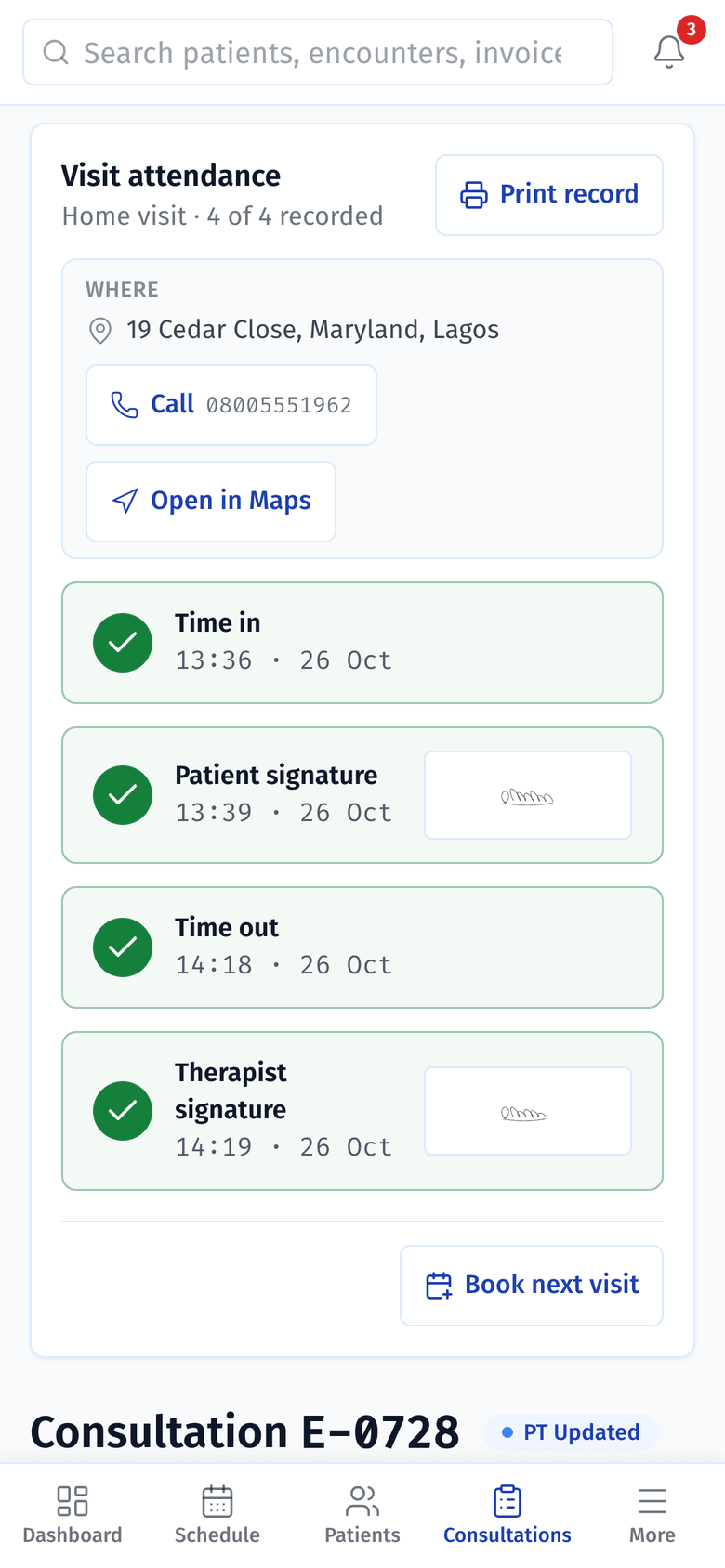
3. Time out, then the next visit
Before leaving, the physio taps Time out and adds their own signature. Book next visit opens the schedule a week ahead, with the patient and Home visit already filled in.


Visits left open show up
A home visit still missing its time out, the patient's signature or the physio's signature 24 hours later goes on the owner's compliance report. It stays there until it's complete.

- Home visits older than 24 hours and still incomplete, with a link to the logbook.
- Each one with its date and time, the patient and the physio.
- What's still missing: the time out, the patient's signature or the physio's.
Also for home visits
The home visits logbook
Every home visit with its time in, time out and both signatures. Filter by month or physio, export it as a spreadsheet, or print it as a logbook on the clinic's letterhead.
The patient knows you're coming
Patients with an email address get a reminder the day before. The second email, about an hour before, says the physio is on the way.
A fee for the visit
If the clinic charges a home-visit or transport fee, the desk adds it to the visit's charges, priced from the clinic's own price list.
Money stays with the desk
Physios don't take payments in Stator. If a patient pays the physio in cash, the desk records it the same day.
No network at the house
Stator needs the internet. The physio writes the note once they're back online, the same day, and the visit stays on the compliance report until it's complete.
In the patient's app
A home visit shows in the patient's app as a home visit, never with a branch.
Read the docs
All docs- Daily workHome visitsOne home visit from the booking to the next one, step by step, with who does each part and who can see the patient's address.
- Daily workScheduling and bookingsRegister a patient, book a visit at the clinic, at home or online, check the patient in, and what reminders the patient gets.
- For ownersCompliance and the handbookThe compliance rules, incidents and points, how staff acknowledge or dispute them, home visits left open, and the staff handbook with read receipts.
Related
We'll book a home visit on a demo clinic and walk through it on a phone.